Uber is one of the most convenient ways to get around in cities worldwide, but creating a new account usually requires phone verification. In 2026, Uber still mandates a valid phone number during sign-up to verify identity and ensure account security. Whether you need an extra account for privacy, testing, business purposes, or you've hit limits on using personal numbers, you can easily bypass this using a temporary USA phone number from VerifySMS.
The process is simple and affordable. Sign up for free on VerifySMS, deposit as little as $10, and purchase a dedicated USA number for just $0.4 per Uber account. The verification code remains active for a full 15 minutes, giving you ample time to complete registration. Most users finish the entire setup in under ten minutes.
VerifySMS offers real non-VoIP USA phone numbers that work reliably with Uber. This guide provides a complete walkthrough so you can create your new Uber account today—without sharing your personal phone number. The steps are similar to those used for other major platforms but tailored to Uber’s signup flow.
Why You Might Need an Uber Account Without a Phone Number
Many people want multiple Uber accounts—for separating personal and work rides, testing features, or managing driver and rider profiles independently. Others face verification blocks after using the same number for several accounts. Privacy is another major concern; not everyone wants to link their main mobile number to ride-sharing services.
Free temporary number sites often fail because Uber quickly detects and blocks VoIP or recycled numbers. VerifySMS solves this with premium, fresh non-VoIP USA numbers that pass verification consistently. Once set up, your new account supports booking rides, adding payment methods, and using all standard Uber features while protecting your privacy.
Step 1: Create Your Free Account on VerifySMS
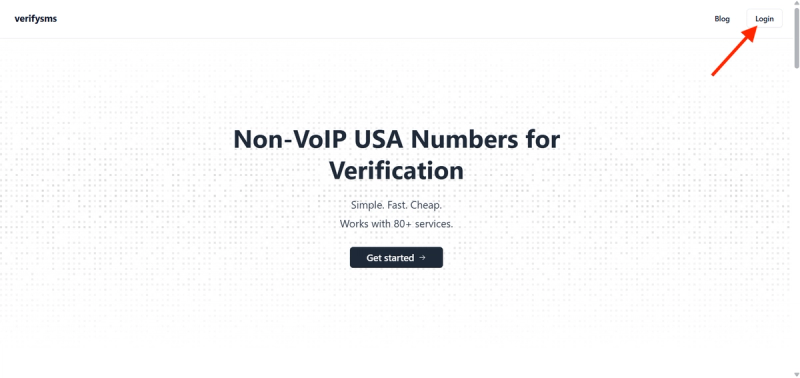
Open your browser and go to https://verifysms.io/. Click “Get Started” or the sign-up button. The form only requires a valid email address and a strong password—no unnecessary personal details.
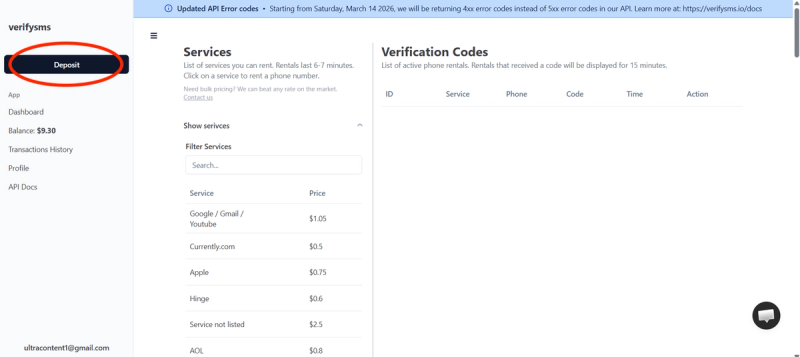
After confirming your email, you’ll reach the dashboard. Click “Add Funds” or “Deposit.” You can start with as little as $10 using a card, crypto, or supported e-wallets. Funds appear instantly with no hidden fees.
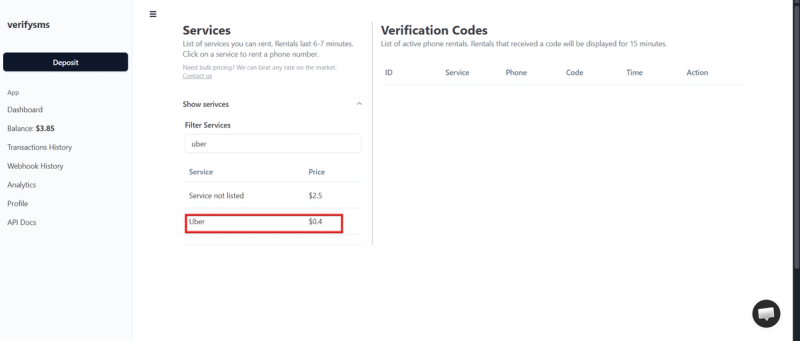
This small balance easily covers multiple Uber accounts, as each number costs only $0.4 You’re now ready to purchase your temporary USA phone number.
Step 2: Buy a Temporary USA Phone Number for Uber
On the dashboard, click “Buy Number” or go to the Services section. Search for “Uber” in the supported platforms list. The price is clearly displayed at $0.4. VerifySMS provides genuine non-VoIP USA numbers, which deliver high success rates with Uber.
Select the service, complete the purchase, and the number appears on your screen within seconds. Copy it immediately—you’ll need it for Uber registration. For multiple accounts, buy several numbers in one go. All numbers are neatly organized in your dashboard.
Step 3: Start Creating Your Uber Account
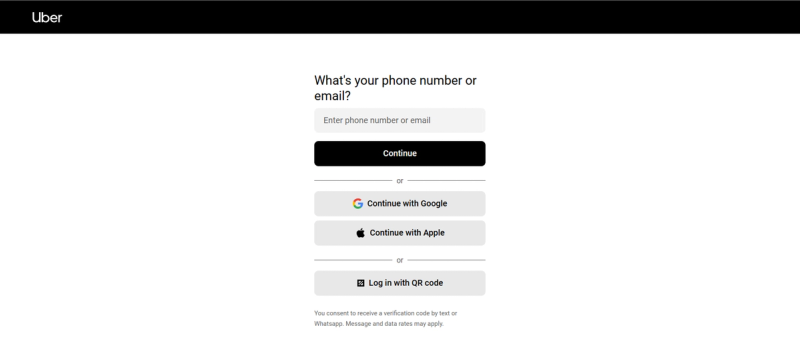
Download the Uber app from the App Store or Google Play, or visit uber.com and start the sign-up process. Choose to create a new account (Rider or Driver, depending on your needs). Enter a fresh email address for better separation from your main accounts.
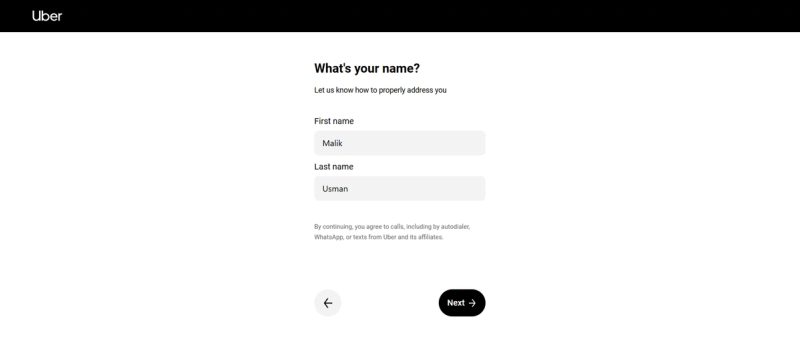
Provide your first and last name.
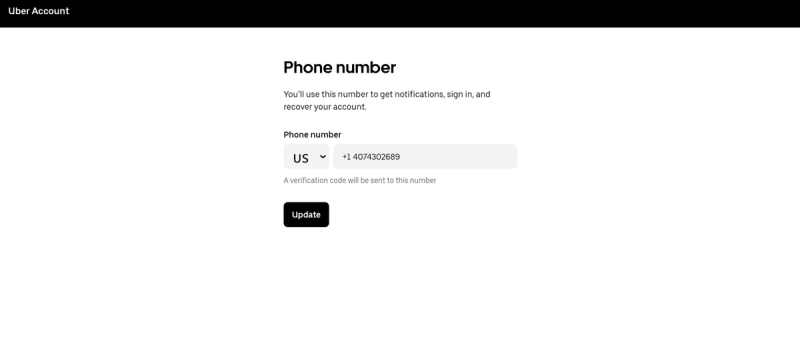
When prompted for the phone number, paste the temporary USA number from VerifySMS (include the +1 country code). Ensure the format is correct.
Uber will send a verification code via SMS to that number. Switch to your VerifySMS dashboard, refresh if necessary, and retrieve the code from the verification section. You have 15 minutes to use it—usually, it arrives instantly.
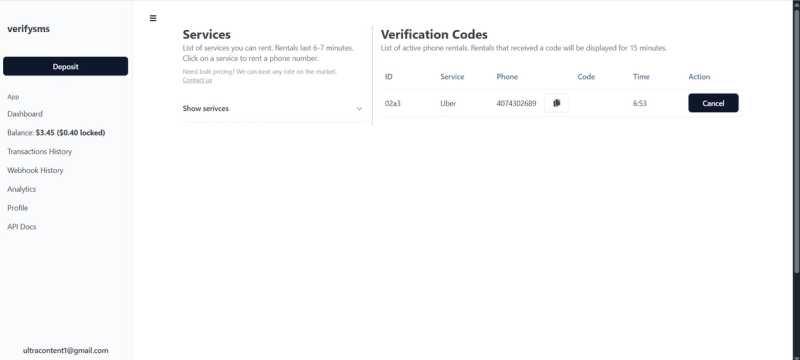
Enter the code in the Uber app or website. Verification completes quickly, and you’ll proceed to the next steps.
Step 4: Complete Your Uber Account Setup
After phone verification, Uber may ask for additional details like your preferred language, payment method, or home address. You can add a credit/debit card, PayPal, or link a bank account later.
Once finished, your new Uber account is active. You can immediately book rides (subject to adding payment) and explore all features. The temporary number has served its purpose, and your personal phone remains private.
To create more accounts, return to VerifySMS, buy another number for $0.4, and repeat the process. The dashboard makes managing multiple profiles straightforward.
Step 5: Quick Tips to Keep Your Uber Account Smooth
- After setup, review your account settings in the app and enable any available security options.
- Add a recovery email for easier account management.
- For driver accounts, additional documents may be required later—the phone verification is the main initial hurdle.
- If you need multiple profiles, use unique emails and strong passwords for each.
Practical Advice for Multiple Accounts and Privacy
Running several Uber accounts helps with business testing, family use, or separating ride histories. VerifySMS supports this efficiently—you can purchase as many USA numbers as needed from one dashboard at just $0.4 each.
Always use strong, unique passwords and avoid reusing recovery details. Developers and power users can leverage VerifySMS’s API for automated, large-scale account creation.
Why VerifySMS Works Better Than Free Options
Free temporary number services frequently get blocked by Uber because they rely on easily detectable VoIP or shared numbers. VerifySMS uses premium, real non-VoIP USA numbers that behave like legitimate mobile lines, resulting in consistently high success rates for Uber, along with other platforms like PayPal and Google.
The clean, beginner-friendly dashboard makes the process fast, while the API supports advanced users who need to scale operations.
Final Thoughts
Setting up an Uber account without a phone number is no longer complicated or risky. With VerifySMS, you get a simple, repeatable method using reliable USA numbers for just $0.4 each. Head to https://verifysms.io/, create your free account, deposit $10, and buy your first number. In under ten minutes, you’ll have a fully functional Uber account ready for rides.
No real phone number. No hassle. Just an affordable, privacy-friendly solution that works every time—whether you need one account or several.