OkCupid remains a popular dating platform for meeting new people, yet registering almost always involves phone verification. Its service continues to request a mobile number during sign-up to verify users and limit fake profiles. If you prefer not to attach your personal phone—whether for privacy, testing multiple profiles, or because your current numbers are already in use—there is a practical alternative.
VerifySMS offers a simple route. Create a free account, deposit a small amount starting at $10, and purchase a dedicated USA number for $0.50. The SMS code stays valid for 7 minutes, which is more than enough time to complete registration. Most people finish the entire process in under ten minutes.
The service supplies genuine non-VoIP USA numbers that OkCupid accepts reliably. The steps below show exactly how to open a working OkCupid account while keeping your real phone private.
Reasons People Create OkCupid Accounts Without Sharing Their Number
Extra profiles can be useful for testing different photos or bios, separating personal and more casual accounts, or simply protecting privacy. After using the same phone number for several registrations, many users encounter blocks. Free temporary-number websites rarely succeed because OkCupid quickly identifies VoIP and recycled lines. VerifySMS provides premium carrier-style USA numbers that pass verification far more consistently. Once the account is live you can build a profile, match with others, and use messaging just like any regular user.
Step 1: Register on VerifySMS
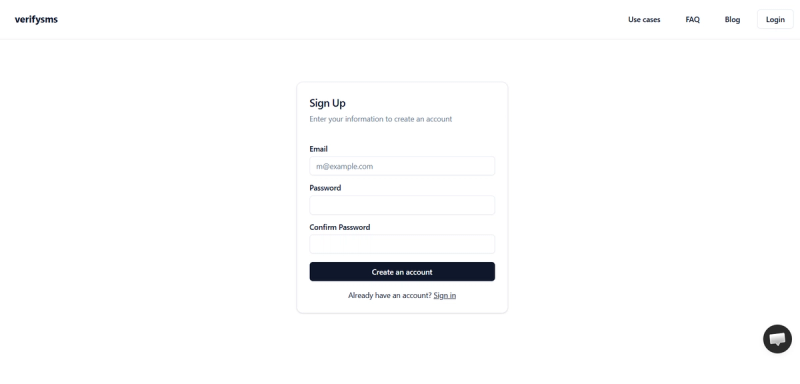
Go to https://verifysms.io/ and start a new account. You only need a valid email address and a strong password—no additional personal information is required.
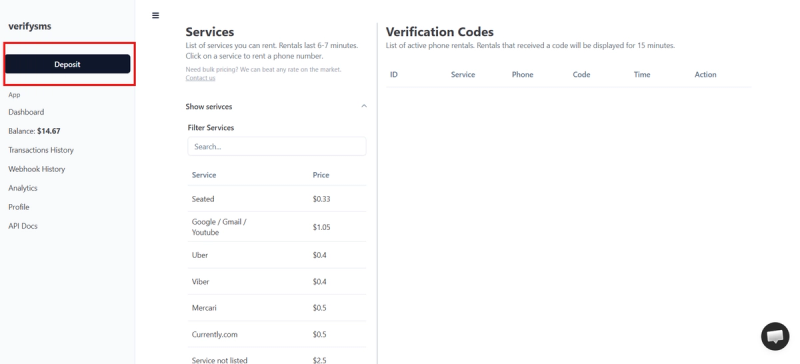
After confirming the email, open the dashboard and choose the option to add funds. A deposit of $10 (via card, crypto, or supported wallets) is enough to begin. The balance appears instantly and carries no extra charges.
Since each OkCupid number costs only $0.50, that modest top-up can cover several accounts. You’re now ready to buy a number.
Step 2: Get a Temporary USA Number for OkCupid
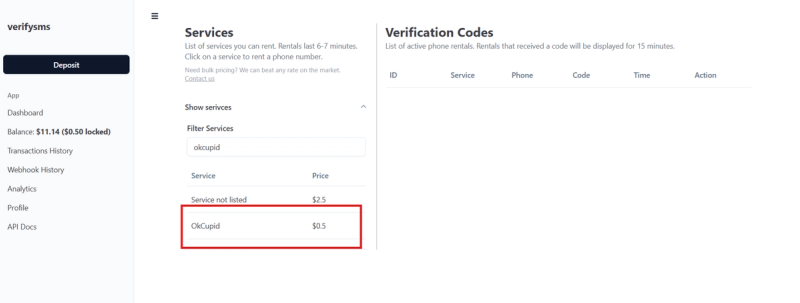
Inside the dashboard select “Buy Number” or open the services list. Search for “OkCupid.” The price is clearly shown as $0.50. Complete the purchase and the number will appear on screen within moments.
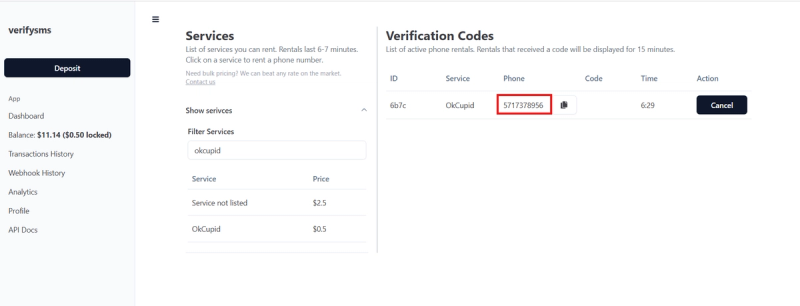
Copy it immediately. If you intend to open more than one profile, you can buy additional numbers in the same session—they remain organised in your dashboard for later use.
Step 3: Begin OkCupid Registration
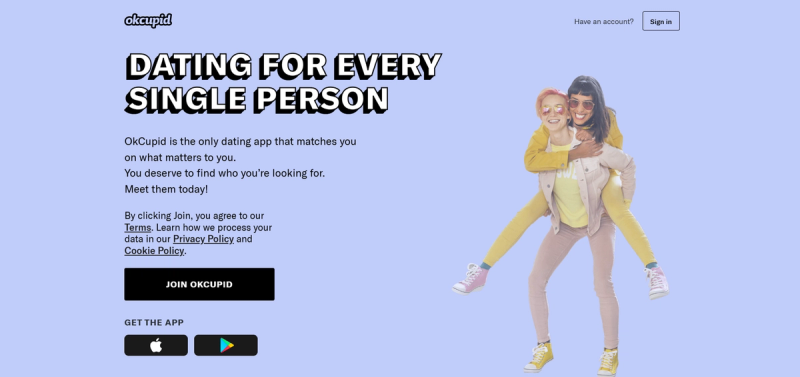
Download the OkCupid app or visit the website and choose the sign-up option. Enter a fresh email address if you want the new account completely separate from existing ones.
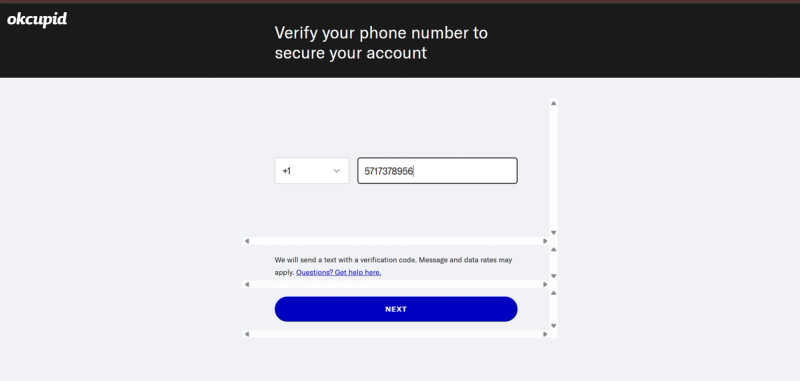
When the phone-number field appears, paste the USA number obtained from VerifySMS (include the +1 country code) and double-check the format.
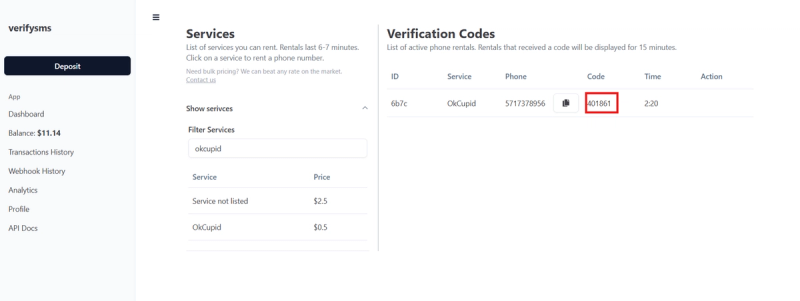
OkCupid will send a verification code by SMS. Switch to the VerifySMS dashboard, refresh if needed, and retrieve the code. You have a 7-minute window, though the message normally arrives almost instantly.
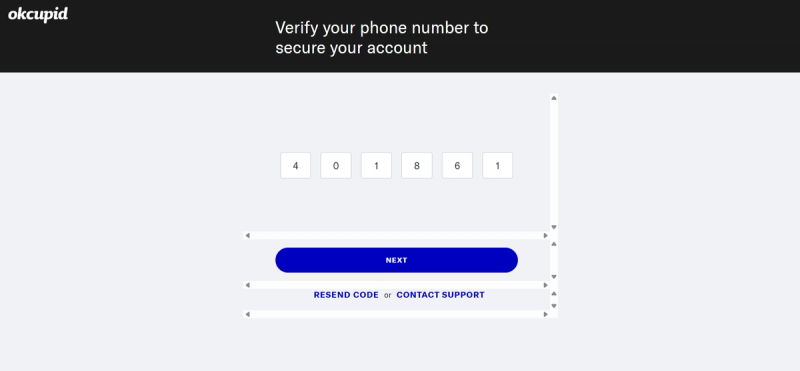
Enter the code on the OkCupid screen. Once accepted, the registration continues.
Step 4: Finish Building the Account
After phone confirmation, OkCupid will ask for basic profile details such as name, age, location preferences, and interests. You can upload photos and write a bio at this stage or return later. Adding a recovery email is optional but helpful for account recovery.
When the process is complete the account becomes active. You can start matching, messaging, and exploring the platform. The temporary number has already fulfilled its role, so your personal phone stays private.
Need another account? Simply return to VerifySMS, purchase a new number for $0.50, and repeat the short sequence.
Step 5: Helpful Tips for Smooth Use
Once inside the account, review the privacy and security settings. Enable any available two-factor options and keep your password unique. If OkCupid later requests further verification, documents or email confirmation are often sufficient.
Many users fund their VerifySMS balance once and create several OkCupid profiles over time from the same dashboard.
Handling Multiple Profiles and Privacy
Running more than one OkCupid account can help with testing different approaches or keeping different aspects of your dating life separate. VerifySMS makes this straightforward—you can buy as many USA numbers as needed, each priced at $0.50, all managed from one clean interface. An API is also available for anyone who needs larger-scale automation.
Why VerifySMS Performs Better Than Free Services
Free temporary-number sites are frequently blocked by OkCupid because they rely on easily detected VoIP or shared lines. VerifySMS focuses on real non-VoIP USA numbers that behave like ordinary mobile lines, resulting in much higher acceptance rates. The interface is simple for beginners, while the API supports more advanced needs.
Closing Thoughts
Creating an OkCupid account without revealing your personal phone number is both practical and inexpensive with VerifySMS. For $0.50 you receive a reliable USA number, receive the verification code quickly, and finish registration in minutes. Visit https://verifysms.io/, open a free account, add funds, and purchase your first number. Shortly afterward you’ll have a fully functional OkCupid profile ready to use—without ever sharing your real mobile number.
Frequently Asked Questions
Can I open several OkCupid accounts using VerifySMS?
Yes. Buy as many numbers as you need. A single $10 deposit often supports multiple accounts over time.
How long does the verification code remain valid?
The code is active for 7 minutes. Most people finish the process well before the time expires.
Will OkCupid treat the number as virtual?
VerifySMS supplies real non-VoIP USA numbers, which is why success rates stay high compared with free alternatives.
Is this suitable for a main dating profile?
It works well for secondary or testing accounts. Many users still prefer a real number for their primary profile, but VerifySMS is a solid privacy option for additional ones.
What if the code doesn’t arrive?
Wait roughly 30 seconds, request a new code inside OkCupid, and refresh the VerifySMS dashboard. Delays are uncommon.