
Amazon is the world’s largest online marketplace, offering everything from shopping and streaming to cloud services and more. Creating an account usually involves phone verification for security and account recovery. However, sharing your real phone number can compromise your privacy, lead to spam, or link multiple identities. Whether you need a secondary account for business, testing, gifting, or privacy reasons, you can easily set up an Amazon account without using your personal digits.
The most reliable and affordable solution is through VerifySMS. You create an account, top up with as little as $10, and buy temporary virtual numbers specifically for Amazon. Each Amazon account costs just $1, and the verification code stays available for 7 minutes. This guide provides a complete step-by-step process so you can open your new Amazon account today without any stress and without touching your real phone number.
Why You Should Create an Amazon Account Without Your Real Phone Number
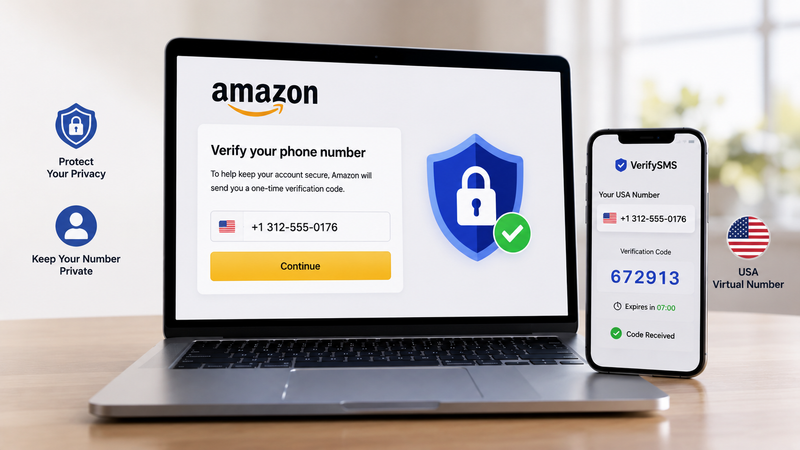
Amazon uses phone verification to secure accounts, enable 2FA, and protect against fraud. However, linking your real number creates risks. Your number can be exposed in data breaches, used for targeted marketing, or linked to your shopping history. For users who want multiple accounts, such as one for personal shopping, one for business, or testing different regions, reusing a personal number often leads to restrictions.
Temporary USA-based virtual numbers provide a clean solution. They receive the SMS code and then can be isolated or discarded, keeping your main line completely private. VerifySMS delivers fresh, specifically USA-based phone numbers (+1) that have high success rates on Amazon.
Step 1: Create Your Account on VerifySMS
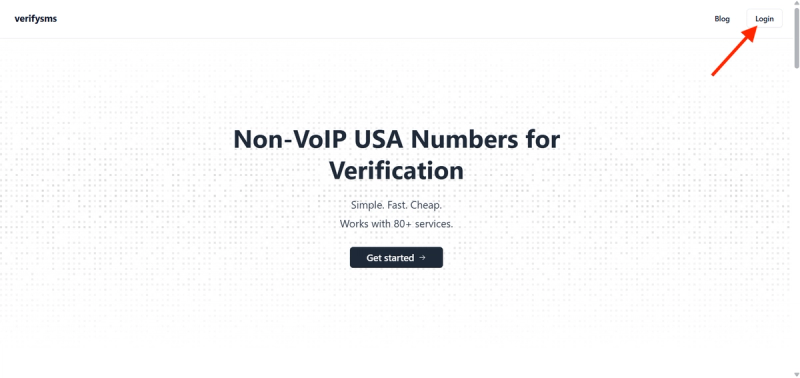
Open your browser and go to https://verifysms.io/. Click the “Get Started” button. The registration form is quick and simple — enter a valid email address and choose a strong password. There are no lengthy forms or unnecessary personal details required. After confirming your email, you will land on a clean, user-friendly dashboard.
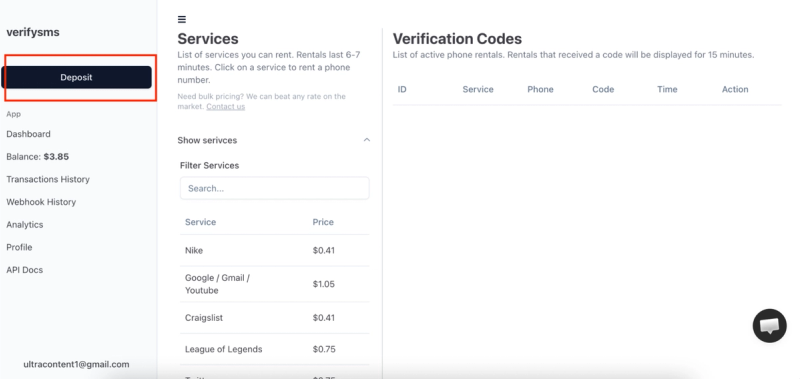
Next, add funds to your balance. Click the “Add Funds” or “Deposit” button. You can start with as little as $10 using major credit/debit cards, cryptocurrency, or popular e-wallets. The money appears instantly with no hidden fees. This small deposit gives you enough credit for 10 Amazon accounts at $1 each, making it perfect for users who need multiple profiles.
Step 2: Buy a Temporary USA Phone Number for Amazon
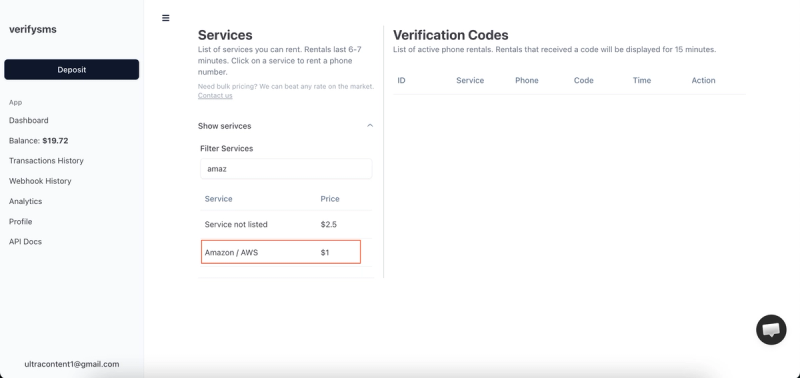
From the dashboard, click “Buy Number” or go to the “Services” section. Search for “Amazon” or “AWS” in the list. The exact price — $1 per number — is clearly displayed. Since VerifySMS only provides specifically USA-based phone numbers, you will receive a fresh +1 virtual number optimized for Amazon verification.
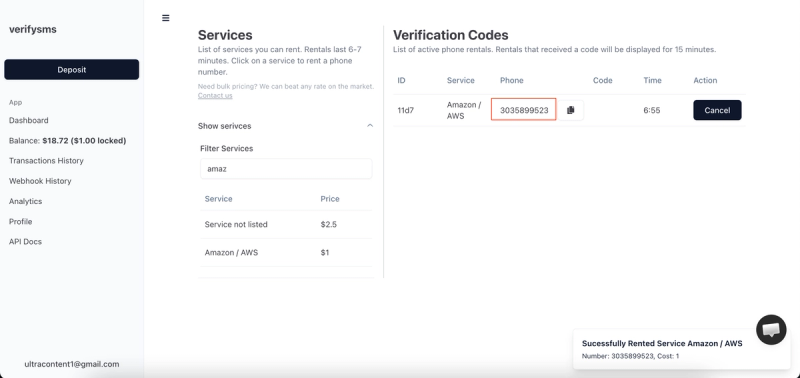
The number appears on your screen within seconds. Copy it immediately because you will need it right away. This virtual number is designed only for receiving incoming SMS verifications, ensuring your privacy remains protected. If you plan to create several Amazon accounts, buy multiple numbers one after another. All purchased numbers are saved in your dashboard history for easy management.
Step 3: Start Creating Your Amazon Account
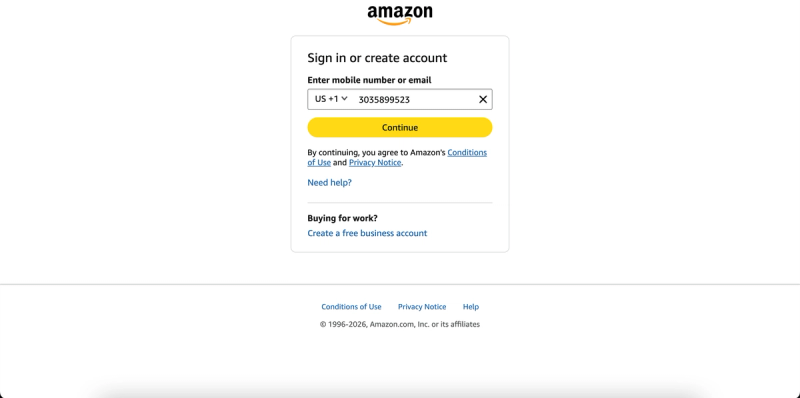
Go to amazon.com or open the Amazon app. Click “Create your Amazon account” or “Sign up.” You will be asked for your name, email address, and to create a password. Proceed through these steps.
When Amazon prompts you for phone number verification (often required for full access, 2FA, or Prime features), paste the temporary USA-based number you bought from VerifySMS. Make sure to include the correct country code (+1). Amazon will send a six-digit verification code to that number almost immediately. Switch back to your VerifySMS dashboard while keeping the Amazon page open.
Step 4: Paste the Code and Complete Your Profile
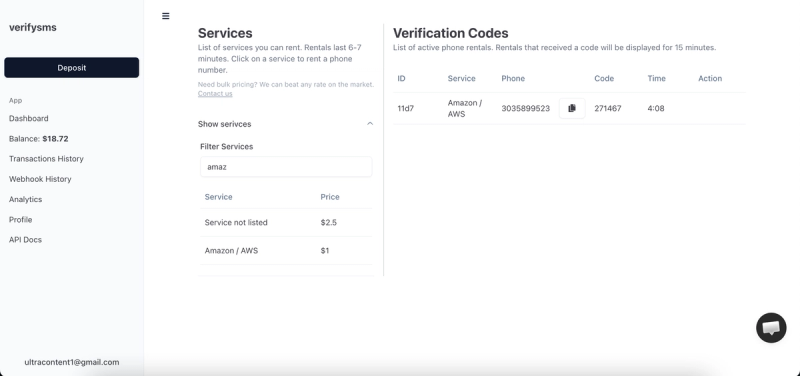
Refresh the VerifySMS page if needed. The six-digit code will appear in the same window where you bought the number. You have only 7 minutes to use it, so proceed promptly but calmly. Copy the code exactly as it appears.
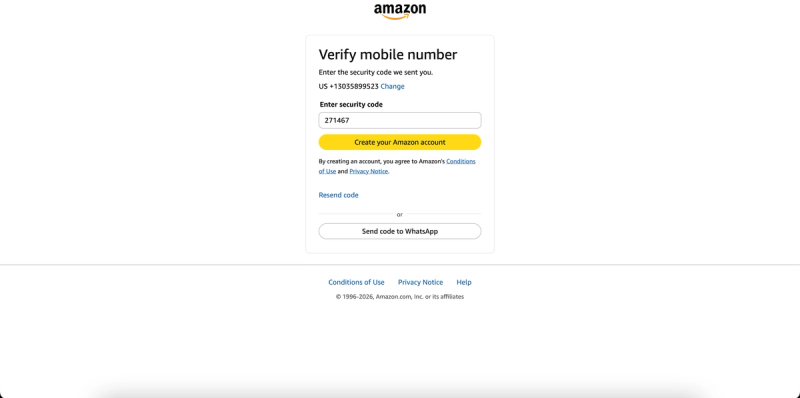
Return to Amazon and enter the six-digit code. The site confirms it in seconds and continues the setup. You can now add payment methods, shipping addresses, and preferences. Review and accept the terms. Once you complete the profile and any optional steps, your new Amazon account is fully active. You can now shop, use Prime (if subscribed), or access other Amazon services without ever using your real phone number.
Step 5: Quick Tips to Keep Everything Smooth
After sign-up, review your account security settings and enable additional 2FA options if available. If you ever face restrictions, simply buy another $1 number from VerifySMS and repeat the process. The site keeps a complete history of all your numbers, making multi-account management effortless.
Most users top up $10 once and create several accounts over time. The $1 price stays the same whether it’s your first or tenth Amazon account. Always keep the VerifySMS tab open during sign-up to avoid missing the 7-minute code window. For best results, use a real device or clean browser and avoid rapid account creation from the same IP.
Why This Method Works Better Than Free Options
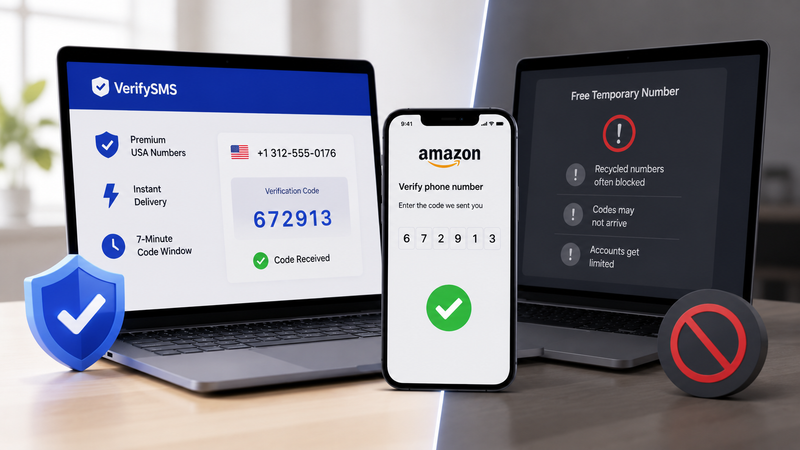
Free temporary number websites often fail on Amazon because the platform has strong detection systems. Recycled numbers are quickly blocked, codes may not arrive, or accounts get limited. VerifySMS uses premium, fresh USA-based numbers that consistently succeed. The low cost, instant delivery, and reliable 7-minute code window make it the most effective solution for privacy-conscious users.
Additional Benefits of Using VerifySMS for Amazon
This approach offers great flexibility. You can create separate accounts for personal shopping, business purchases, gifting, or testing. International users benefit from trusted USA numbers that Amazon readily accepts. The process is secure, affordable, and keeps your shopping habits private.
Final Thoughts!
Setting up an Amazon account without a phone number is fast, secure, and straightforward with VerifySMS. In under ten minutes, you can have a new profile ready for shopping while keeping your personal phone number completely private.
A single $10 deposit opens the door to multiple private Amazon accounts. Don’t let phone verification limit your freedom. Visit VerifySMS, create your account, add funds, and start shopping privately today.