Signal is widely regarded as one of the most secure and privacy-focused messaging apps available today. With end-to-end encryption, disappearing messages, and a strong commitment to user privacy, it has become the preferred choice for journalists, activists, professionals, and anyone who values confidential communication. However, like most messaging platforms, Signal requires a phone number for verification during sign-up. Sharing your real phone number defeats the purpose of using a privacy-first app.
The good news is you can create a fully functional Signal account without using your personal phone number by using a temporary USA-based virtual number. The easiest and most reliable way is through VerifySMS. You create an account, top up with as little as $10, and buy dedicated virtual numbers for Signal. Each Signal account costs just $0.4, and the verification code stays available for 7 minutes — more than enough time to complete registration. Below is a detailed step-by-step guide to help you set up your new Signal account quickly, securely, and privately.
Why You Should Create a Signal Account Without Your Real Phone Number
Signal’s strength lies in its privacy philosophy, yet it still relies on phone numbers for user identification and verification. Once you link your real number, it becomes permanently associated with your account. This creates risks: data leaks, SIM-swapping attacks, unwanted contact, or linking your identity across other services. Many users need multiple Signal accounts — one for personal use, one for work, one for activism, or backup accounts. Using your main number across all of them compromises privacy and increases the chance of restrictions.
Temporary USA-based virtual numbers solve this issue perfectly. They allow full access to Signal’s features while keeping your personal line completely isolated. VerifySMS provides fresh, specifically USA-based phone numbers (+1) that work reliably with Signal’s verification system.
Step 1: Create Your Account on VerifySMS
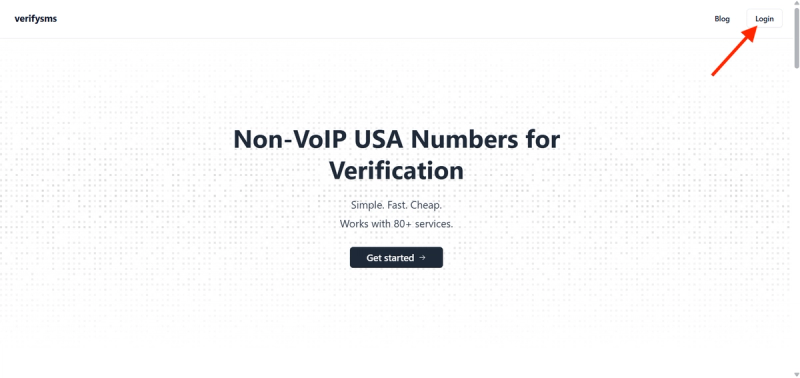
Open your browser and visit https://verifysms.io/. Click the “Get Started” button. The sign-up form is quick and straightforward — enter a valid email address and choose a strong password. There are no long forms or unnecessary personal details required. After confirming your email, you will land on a clean, efficient dashboard.
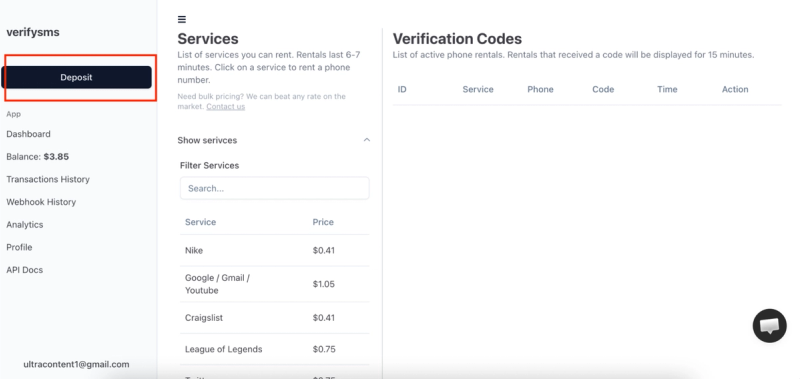
Next, add funds to your balance. Click the “Add Funds” or “Deposit” button. You can start with as little as $10 using major credit/debit cards, cryptocurrency, or popular e-wallets. The funds are credited instantly with no hidden fees. This small deposit gives you enough credit for more than 25 Signal accounts at $0.4 each, making it perfect for users who need multiple private profiles.
Step 2: Buy a Temporary USA Phone Number for Signal
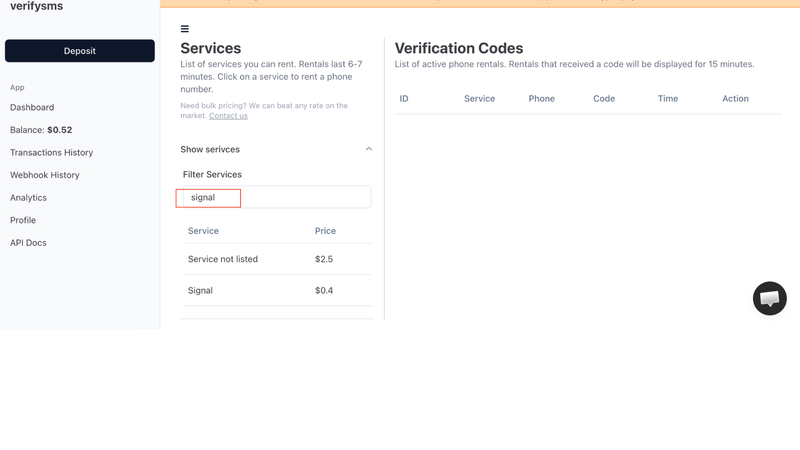
From the dashboard, click “Buy Number” or go to the “Services” section. Search for “Signal” in the available services. The exact price — $0.4 per number — is clearly displayed. Since VerifySMS only provides specifically USA-based phone numbers, you will receive a fresh +1 virtual number optimized for Signal verification.
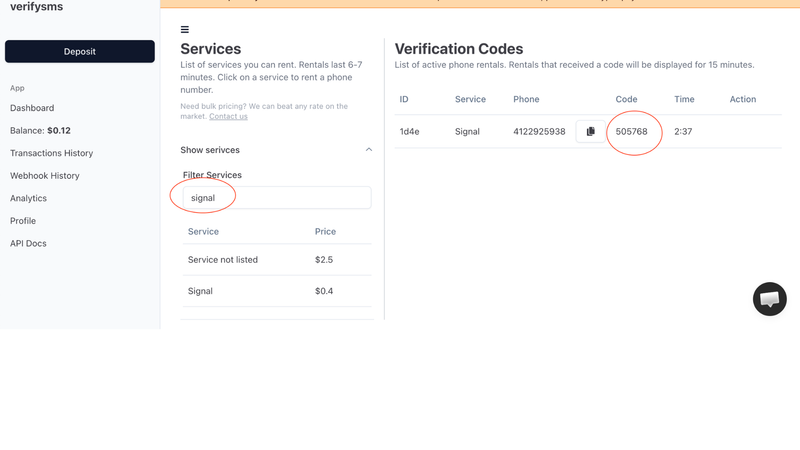
The number appears on your screen within seconds. Copy it immediately because you will need it right away. This virtual number is designed solely for receiving incoming SMS verifications, ensuring maximum privacy. If you plan to create several Signal accounts, buy multiple numbers one after another. All purchased numbers are saved in your dashboard history for easy management.
Step 3: Start Creating Your Signal Account
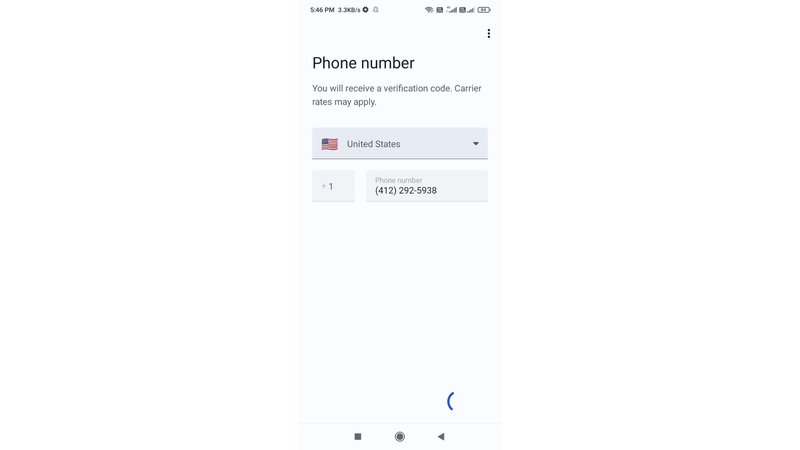
Download or open the Signal app on your phone (available for Android and iOS). If it’s your first time, tap “Continue” or “Register.” Signal will ask you to enter your phone number. Paste the temporary USA-based number you bought from VerifySMS. Make sure to include the correct country code (+1).
Signal will send a six-digit verification code to that number almost immediately. Switch back to your VerifySMS dashboard while keeping the Signal app open.
Step 4: Paste the Code and Complete Your Profile
Refresh the VerifySMS page if needed. The six-digit code will appear in the same window where you bought the number. You have only 7 minutes to use it, so proceed promptly but calmly. Copy the code exactly as it appears.
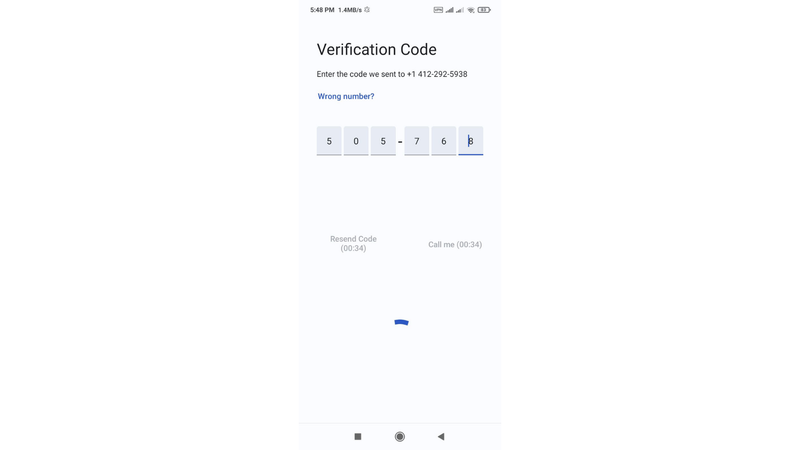
Return to the Signal app and enter the six-digit code. The app confirms the verification in seconds and proceeds to the next steps. Now you can set up your profile:
- Choose a display name (this is what others will see).
- Add a profile photo (optional but recommended).
- Set a PIN for additional security (Signal strongly encourages this).
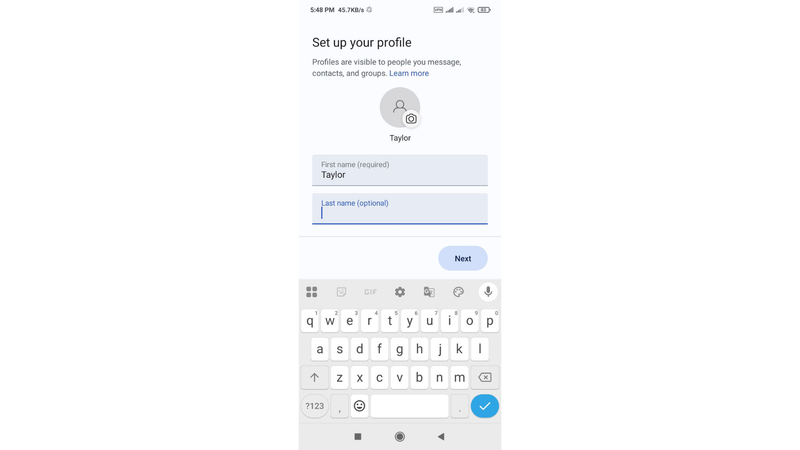
Signal may offer to import contacts or enable notifications — you can adjust these preferences later in settings. Once you complete the basic setup, your new Signal account is fully active. You can now start messaging, make calls, send disappearing messages, and use all of Signal’s privacy features without ever using your real phone number.
Step 5: Quick Tips to Keep Everything Smooth
After sign-up, enable additional security features like the registration lock (PIN) and disappearing messages by default. If you ever face issues or need a new account, simply buy another $0.4 number from VerifySMS and repeat the process. The site keeps a complete history of all your numbers, making multi-account management effortless.
Most users top up $10 once and create several accounts over time. The $0.4 price remains consistent no matter how many profiles you make. Always keep the VerifySMS tab open during sign-up to avoid missing the 7-minute code window. For best results, use the official Signal app on a real device and avoid creating too many accounts from the same IP address in quick succession.
Why This Method Works Better Than Free Options
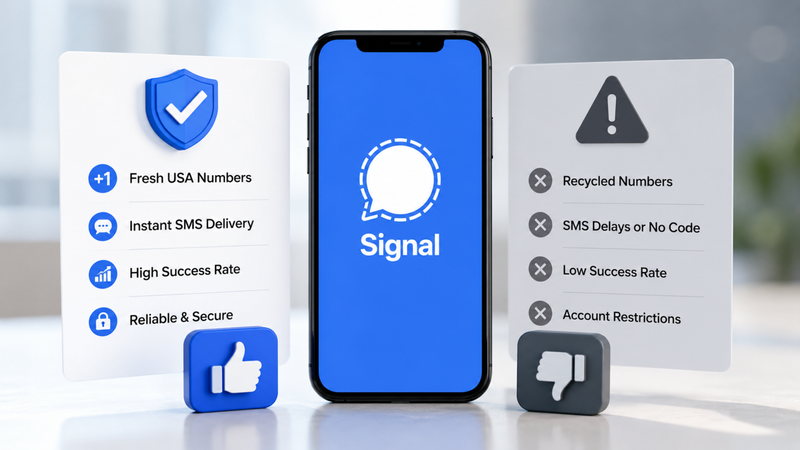
Free temporary number websites often fail on Signal because the app has strict anti-abuse measures. Recycled numbers are quickly detected, codes may not arrive, or accounts get limited functionality. VerifySMS uses premium, fresh USA-based numbers that consistently deliver successful verifications. The low cost, instant delivery, and reliable 7-minute code window make it the most effective solution for privacy-conscious users.
Additional Benefits of Using VerifySMS for Signal
This approach gives you excellent flexibility. You can maintain separate Signal accounts for different aspects of your life — personal, professional, activist work, or family — without any crossover. Journalists and high-profile users especially benefit from this separation. International users gain reliable access through trusted USA numbers that Signal readily accepts. The entire process is secure, affordable, and fully aligned with Signal’s privacy-first mission.
Wrapping Up….
Setting up a Signal account without a phone number is fast, secure, and straightforward when you use a dependable service like VerifySMS. In under ten minutes, you can have a new profile ready for private, encrypted communication while keeping your personal phone number completely protected.
Whether you need one account for everyday secure messaging or multiple profiles for different purposes, the process is repeatable and highly cost-effective. A single $10 deposit opens the door to dozens of private Signal accounts, each powered by genuine USA-based numbers that work reliably every time.
Don’t let phone verification undermine the privacy that Signal promises. Head over to VerifySMS, create your account, add your small deposit, and open your first Signal profile today. No real phone number. No hassle. Full control over your private communications.