Cash App makes sending and receiving money fast and simple, yet opening a new account almost always demands phone verification. In 2026 the platform continues to require a mobile number during registration for identity checks and security. Whether you want an extra account for privacy, business testing, separate finances, or you’ve already maxed out the numbers linked to your personal phone, there’s no need to hand over your real digits.
A practical workaround is available through VerifySMS. Create a free account, add a small balance starting at $10, and purchase a dedicated USA number for $8.05. The SMS code remains valid for 7 minutes—more than enough time to finish registration. Most people complete the entire process in under ten minutes.
VerifySMS supplies genuine non-VoIP USA numbers that Cash App accepts reliably. Follow the steps below to open a working Cash App account today while keeping your personal phone private.
Why People Look for a Cash App Account Without Sharing Their Phone
Extra Cash App profiles are useful for separating personal spending from business, testing features, managing shared expenses, or simply protecting privacy. After registering several accounts on one number, many users run into verification blocks. Free temporary-number sites rarely succeed because Cash App flags VoIP and recycled lines quickly. VerifySMS solves the problem with premium, carrier-style USA numbers that pass verification consistently. Once the account is active you can send money, receive payments, and link cards or banks just like any other user.
Step 1: Open a Free VerifySMS Account
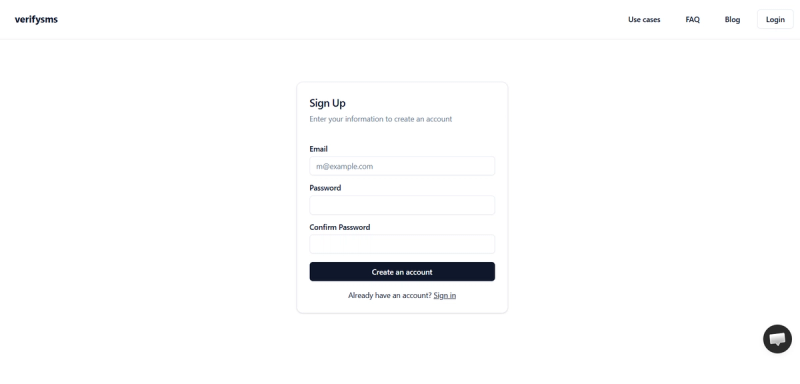
Visit https://verifysms.io/ and click the sign-up button. Provide only an email address and a strong password—nothing more is required.
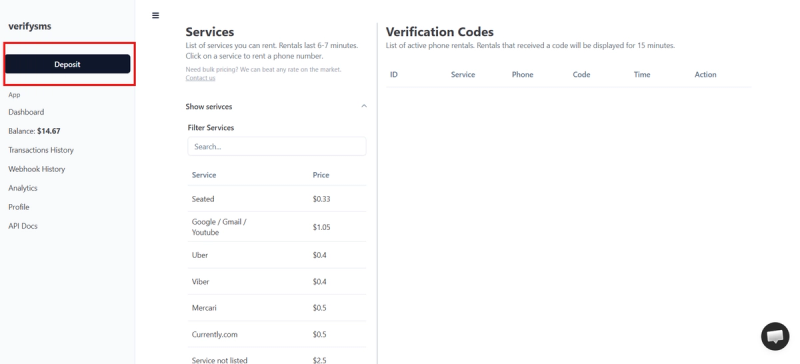
Confirm the email, then open the dashboard and select “Add Funds.” Deposit as little as $10 using a card, cryptocurrency, or supported wallet. The balance appears immediately and carries no hidden fees.
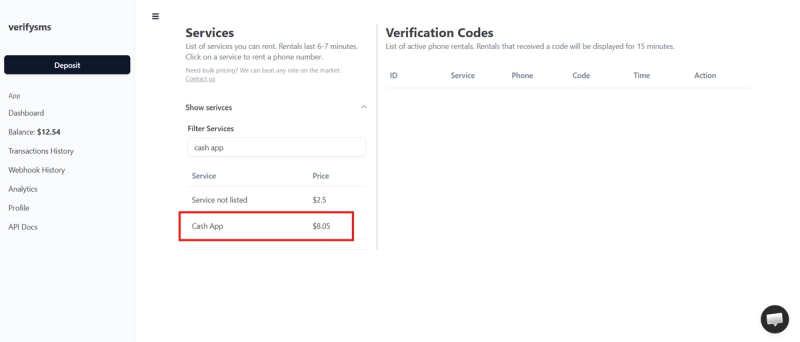
Because each Cash App number costs $8.05, a modest top-up covers several accounts. You’re now ready to purchase your first number.
Step 2: Purchase a Temporary USA Number for Cash App
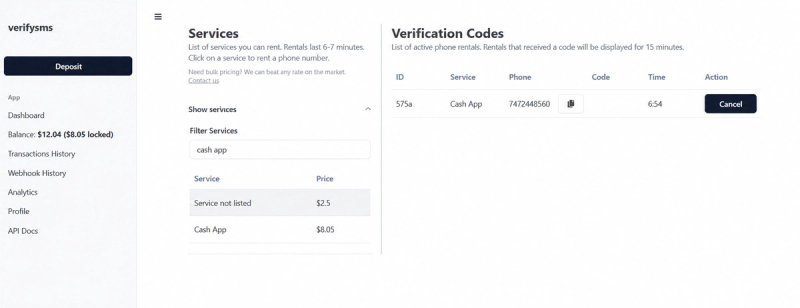
Inside the dashboard choose “Buy Number” or open the Services area. Search for “Cash App.” The listed price is $8.05. Select the option and complete the purchase; the number appears on screen within seconds.
Copy the number at once. If you plan to open more than one account, buy additional numbers in the same session—they remain neatly listed for easy reuse.
Step 3: Begin Cash App Registration
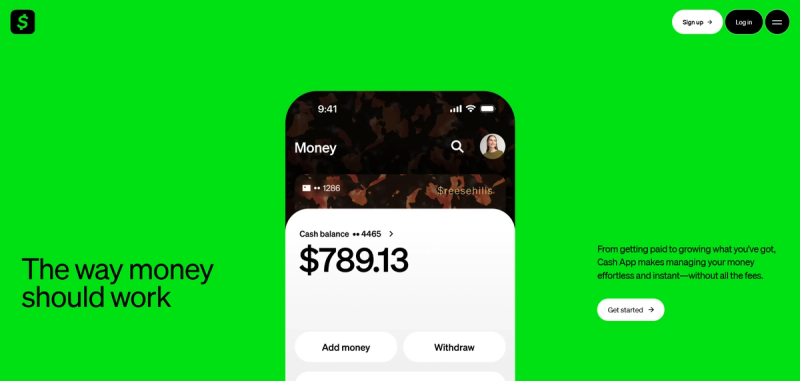
Download the Cash App or go to the official website and start the sign-up flow. Enter a new email address if you want the account completely separate from your existing ones.
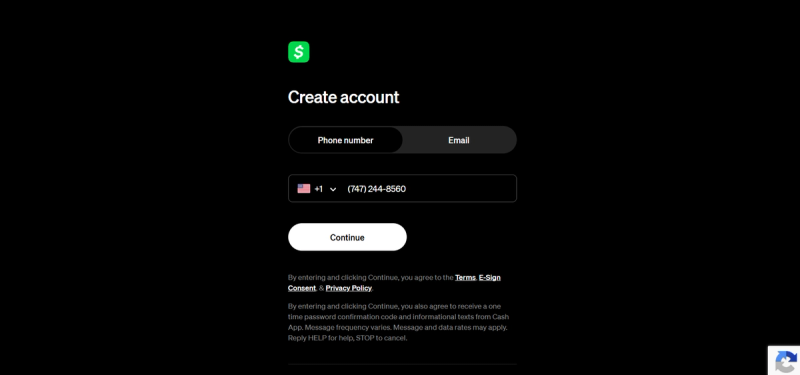
When the phone-number field appears, paste the USA number obtained from VerifySMS (include the +1 country code). Confirm the format is correct.
Cash App sends a six-digit code by SMS. Return to the VerifySMS dashboard, refresh if necessary, and retrieve the code from the verification section. You have a full 7-minute window, though the code almost always arrives instantly.
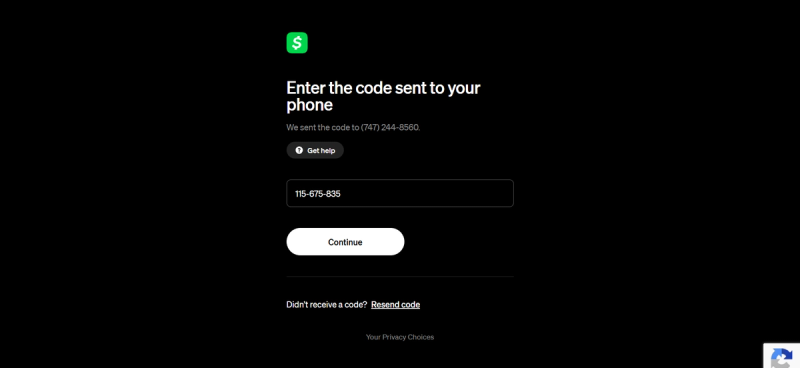
Enter the code on the Cash App screen. Verification succeeds and the registration continues.
Step 4: Finish Setting Up the Account
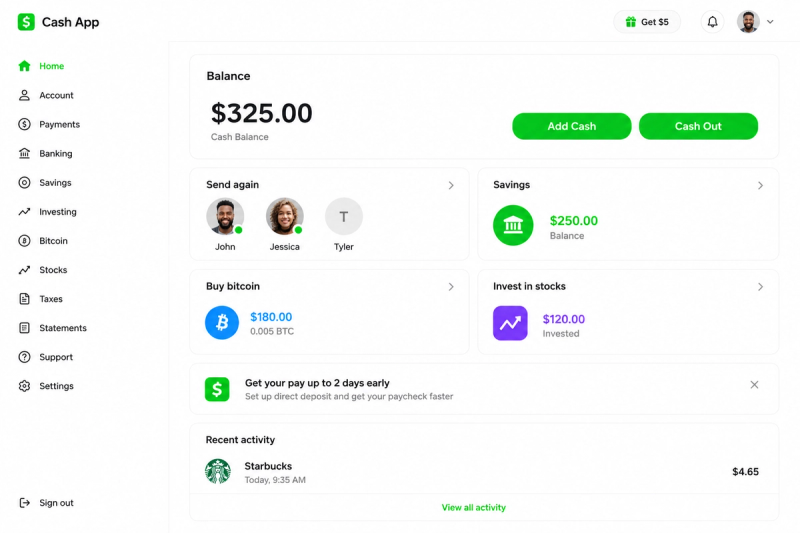
After the phone is confirmed, Cash App may ask for your legal name, date of birth, or a few other details. You can add a debit card or bank account later once the profile is live. A recovery email is optional but recommended for extra security.
When you reach the end of the flow the account is active. You can immediately send and receive money (subject to any remaining identity steps Cash App may request later). The temporary number has already served its purpose, so your personal phone stays private.
Need another account? Simply return to VerifySMS, purchase a fresh number for $8.05, and repeat the same short process.
Step 5: Practical Tips for Smooth Operation
Once inside the new account, review the security settings and turn on any available two-factor options. Keep passwords unique and strong. If Cash App later requests additional verification, documents or email confirmation are often sufficient—another phone number is rarely required.
Many users fund their VerifySMS balance once and create several Cash App profiles over time from the same dashboard.
Managing Multiple Accounts and Protecting Privacy
Running separate Cash App profiles is common for freelancers, online sellers, and anyone who wants clear financial boundaries. VerifySMS makes this simple: buy as many USA numbers as you need, each priced at $8.05, all managed from one clean interface. Developers who require bulk creation can also use the service’s straightforward API.
Why VerifySMS Outperforms Free Alternatives
Free SMS services almost always fail with Cash App because the platform detects VoIP and shared numbers. VerifySMS relies on real non-VoIP USA lines that behave like ordinary mobile numbers, producing consistently high success rates. The interface is simple enough for beginners, while the API supports larger-scale needs.
Final Thoughts
Opening a Cash App account without revealing your personal phone number is both straightforward and affordable with VerifySMS. For $8.05 you receive a reliable USA number, receive the verification code within seconds, and finish registration in minutes. Visit https://verifysms.io/, create your free account, add funds, and purchase your first number. In a short time you’ll have a fully functional Cash App ready for use—without ever exposing your real mobile line.
Frequently Asked Questions (FAQs)
Can I open several Cash App accounts with VerifySMS?
You can Purchase as many numbers as required. A single $10 deposit is often enough for multiple accounts over time.
How long is the verification code valid?
The code remains active for 7 minutes. Most users complete the process well before the window closes.
Will Cash App recognize the number as virtual?
VerifySMS provides real non-VoIP USA numbers, which is why acceptance rates stay high compared with free services.
Is this approach suitable for important accounts?
It works well for secondary, testing, or business profiles. Many people still prefer a real number for their primary personal account, but VerifySMS is a solid privacy option for additional ones.