Bumble has become one of the most popular dating and social networking apps, known for empowering users to make the first move and fostering meaningful connections. Whether you’re looking for dates, new friends, or professional networking through Bumble Bizz, the sign-up process usually requires phone number verification.
Sharing your real phone number can raise serious privacy concerns, especially if you want multiple profiles, anonymity, or have faced previous bans. The good news is you can easily create a Bumble account without using your personal digits.
The most reliable and affordable way is through VerifySMS. You create an account, top up with as little as $10, and buy temporary virtual numbers specifically for Bumble. Each Bumble account costs just $0.4, and the verification code stays available for 7 minutes. Which is more than enough time to finish the sign-up.
Why You Should Create a Bumble Account Without Your Real Phone Number
Dating apps like Bumble collect phone numbers for verification, security, and matching algorithms. However, this creates privacy risks. Your number can be exposed in data breaches, used for spam, phishing, or unwanted contact from matches. For users who want multiple profiles (e.g., one for dating, one for networking), testing different strategies, or recovering from bans, reusing a personal number often leads to restrictions.
Temporary USA-based virtual numbers provide the perfect solution. They receive the SMS code and then can be isolated or discarded, keeping your main line completely private. VerifySMS specializes in fresh, specifically USA-based phone numbers (+1) that have high success rates on Bumble because they look legitimate to the platform’s systems.
Step 1: Create Your Account on VerifySMS
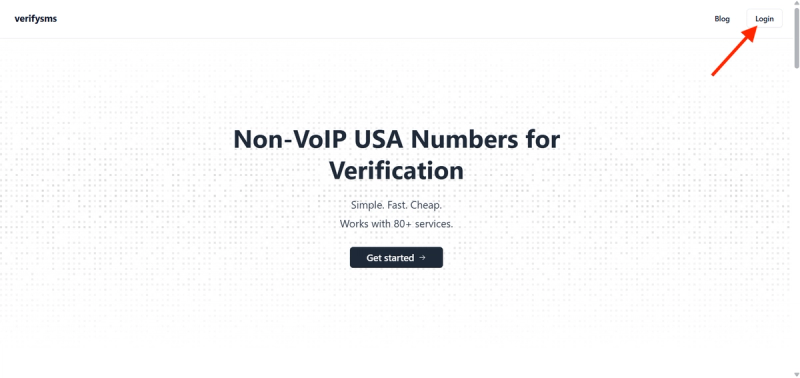
Open your browser and go to https://verifysms.io/. Click the “Get Started” button on the homepage. The registration form is quick and straightforward — simply enter a valid email address and choose a strong password. No long questions or extra personal details are required. After confirming your email, you’ll land on a clean, user-friendly dashboard.
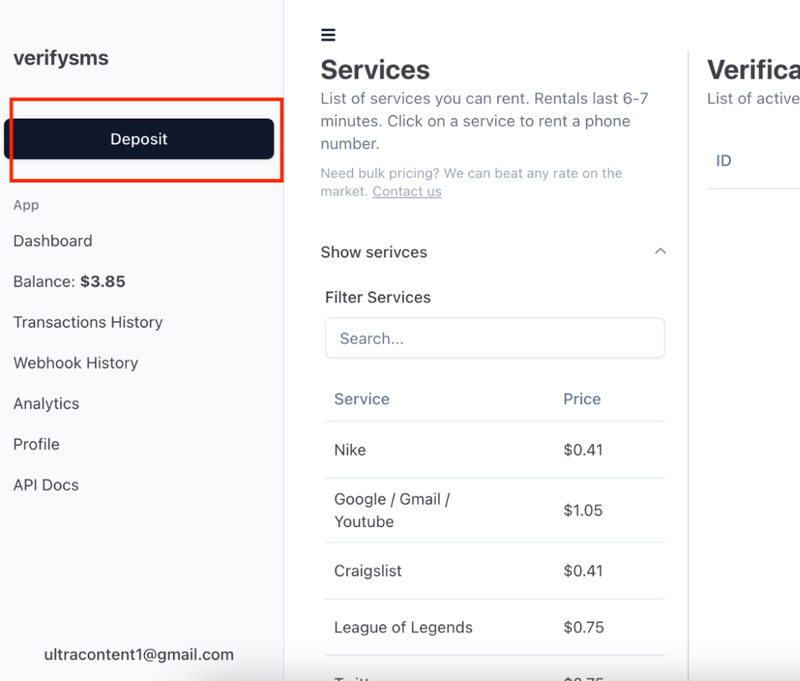
Next, add funds to your balance. Click the “Add Funds” or “Deposit” button. You can start with as little as $10 using major credit/debit cards, cryptocurrency, or popular e-wallets. The money appears instantly with no hidden fees. This small deposit gives you enough credit for more than 25 Bumble accounts at $0.4 each, making it ideal for users who need multiple profiles.
Step 2: Buy a Temporary USA Phone Number for Bumble
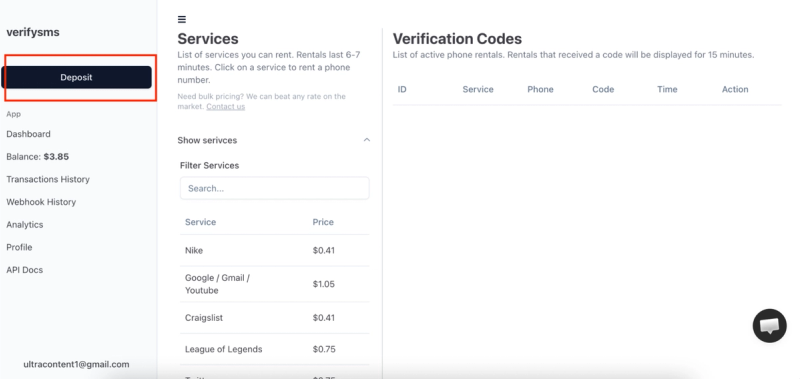
From the dashboard, click “Buy Number” or navigate to the “Services” section. Search for “Bumble” in the list of supported platforms. The exact price — $0.4 per number — is clearly displayed. Since VerifySMS only provides specifically USA-based phone numbers, you’ll receive a fresh +1 virtual number optimized for Bumble verification.
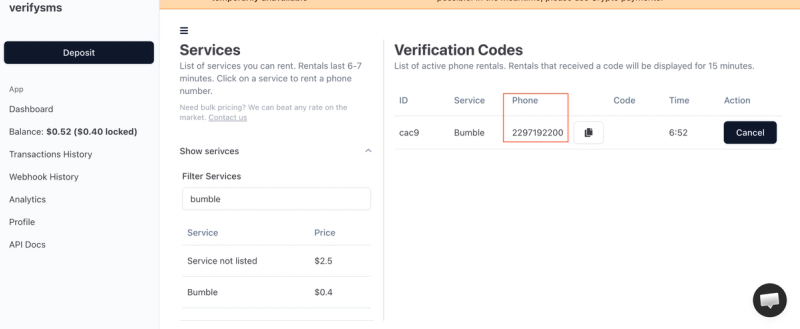
The number appears on your screen within seconds. Copy it immediately because you will need it right away. This virtual number works only for incoming SMS verifications, ensuring your privacy remains fully protected. If you plan to create several Bumble accounts, buy multiple numbers one after another. All purchased numbers are saved in your dashboard history for easy management.
Step 3: Start Creating Your Bumble Account
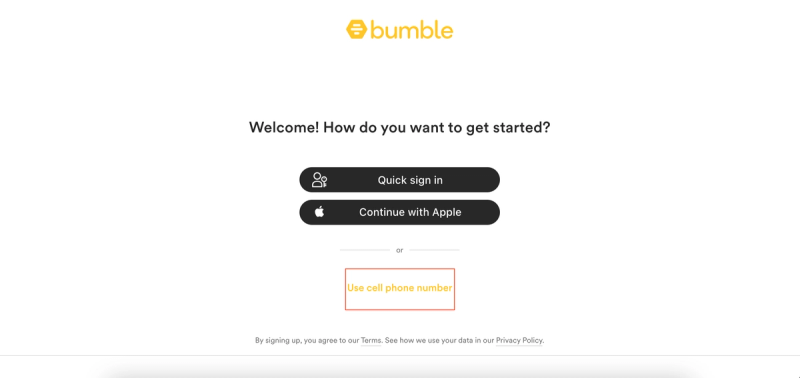
Download or open the Bumble app on your phone (available for Android and iOS). Tap “Create Account” or “Sign Up.” You can sign up using Facebook, Apple, or phone number. Choose the phone number option for this method.
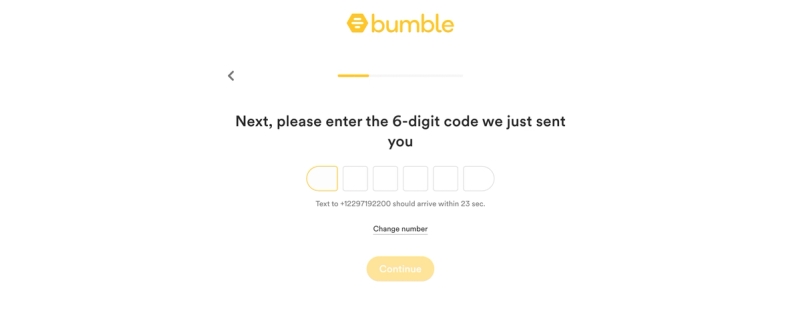
When Bumble asks you to add a phone number, paste the temporary USA-based number you bought from VerifySMS. Make sure to include the correct country code (+1). Bumble will send a six-digit verification code to that number almost immediately. Switch back to your VerifySMS dashboard while keeping the Bumble app open.
Step 4: Paste the Code and Complete Your Profile
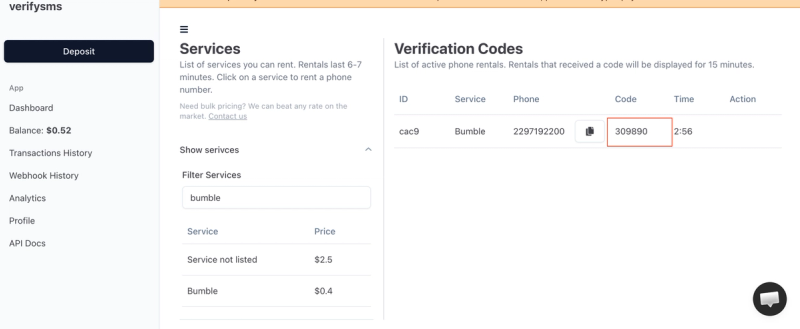
Refresh the VerifySMS page if needed. The six-digit code will appear in the same window where you bought the number. You have only 7 minutes to use it, so proceed promptly but calmly. Copy the code exactly as it appears.
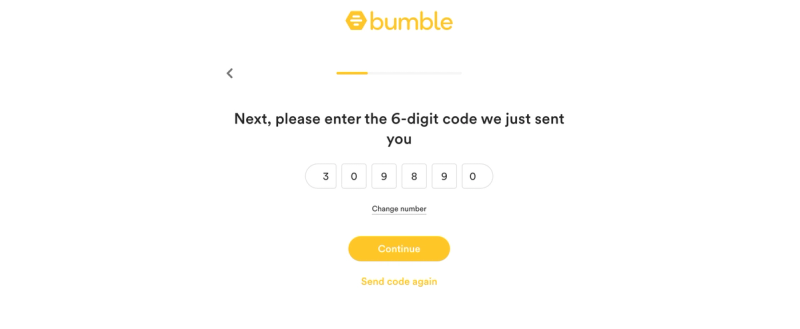
Return to the Bumble app and enter the six-digit code. The app confirms the verification in seconds and moves you to the next steps. Now you can set up your profile:
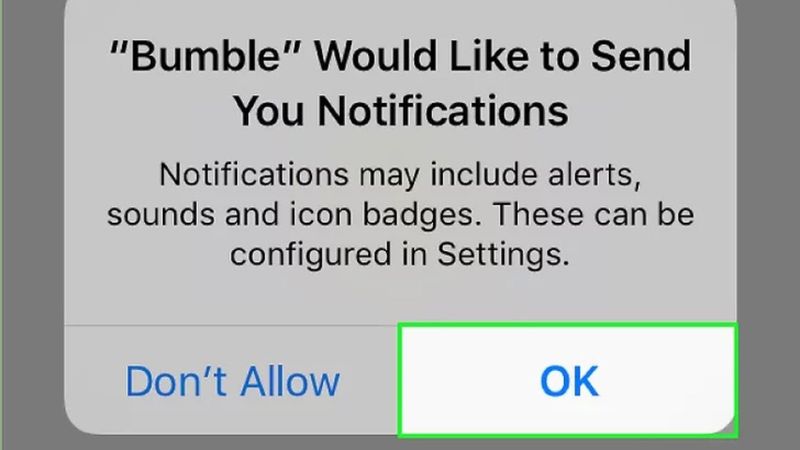
- Choose your gender and what you’re looking for (Date, BFF, or Bizz).
- Add your name, date of birth, and other basic information.
- Upload profile photos (highly recommended for better matches).
- Write a compelling bio and answer prompts to showcase your personality.
Bumble may offer additional options like linking social profiles or enabling location services you can adjust these later in settings. Once you complete the profile setup and hit “Continue,” your new Bumble account goes live. Congratulations, you now have a fully functional Bumble account that never used your real phone number.
Step 5: Quick Tips to Keep Everything Smooth
After sign-up, review your privacy and safety settings immediately. Bumble has strong tools to control who can message you and report suspicious activity. If you ever get banned again, simply buy another $0.4 number from VerifySMS and repeat the process. The site keeps a complete history of all your numbers, making multi-account management effortless.
Most users top up $10 once and create several accounts over a few weeks. The $0.4 price stays the same whether it’s your first or twentieth Bumble account. Always keep the VerifySMS tab open during sign-up to avoid missing the 7-minute code window. For best results, use the official app on a real device and avoid creating too many accounts from the same IP address in a short period.
Why This Method Works Better Than Free Options
Free temporary number websites often fail on Bumble because the platform aggressively detects and blocks recycled or low-quality numbers. Codes may not arrive, or accounts get flagged and suspended quickly. VerifySMS uses premium, fresh USA-based numbers that consistently deliver successful verifications. The low cost, instant delivery, and reliable 7-minute code window make it the most effective and stress-free solution for privacy-conscious users.
Additional Benefits of Using VerifySMS for Bumble
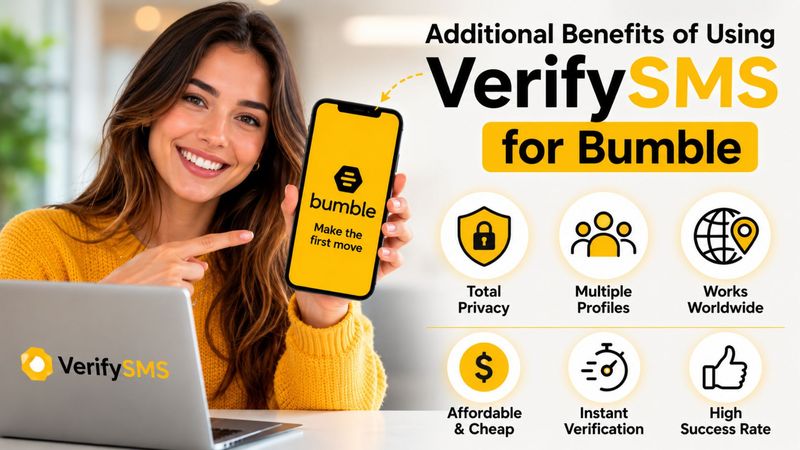
This approach gives you excellent flexibility. You can create separate profiles for different intentions (serious dating, casual, friendship, or networking), test different photos and bios, or maintain anonymity. International users benefit greatly from trusted USA numbers that Bumble readily accepts. The entire process is secure, affordable, and puts you in full control of your dating experience.
Common Challenges and How to Solve Them
If the verification code doesn’t appear within seconds, refresh the VerifySMS dashboard or double-check that you entered the number correctly with +1. In rare cases where Bumble flags a number, simply purchase a new one for $0.4 it takes seconds. Maintain a stable internet connection during sign-up to prevent timing issues within the short 7-minute window. Always complete your profile thoughtfully to improve match quality.
Final Thoughts!
Setting up a Bumble account without a phone number is fast, secure, and straightforward when you use a dependable service like VerifySMS. In under ten minutes, you can have a new profile ready for making connections while keeping your personal phone number completely private.
Whether you need one account for personal use or multiple profiles for different purposes, the process is repeatable and highly cost-effective. A single $10 deposit opens the door to dozens of private Bumble accounts, each powered by genuine USA-based numbers that work reliably every time.
Don’t let phone verification limit your dating opportunities or compromise your privacy. Head over to VerifySMS, create your account, add your small deposit, and open your first Bumble profile today. No real phone number. No hassle. Full control over your connections and safety.