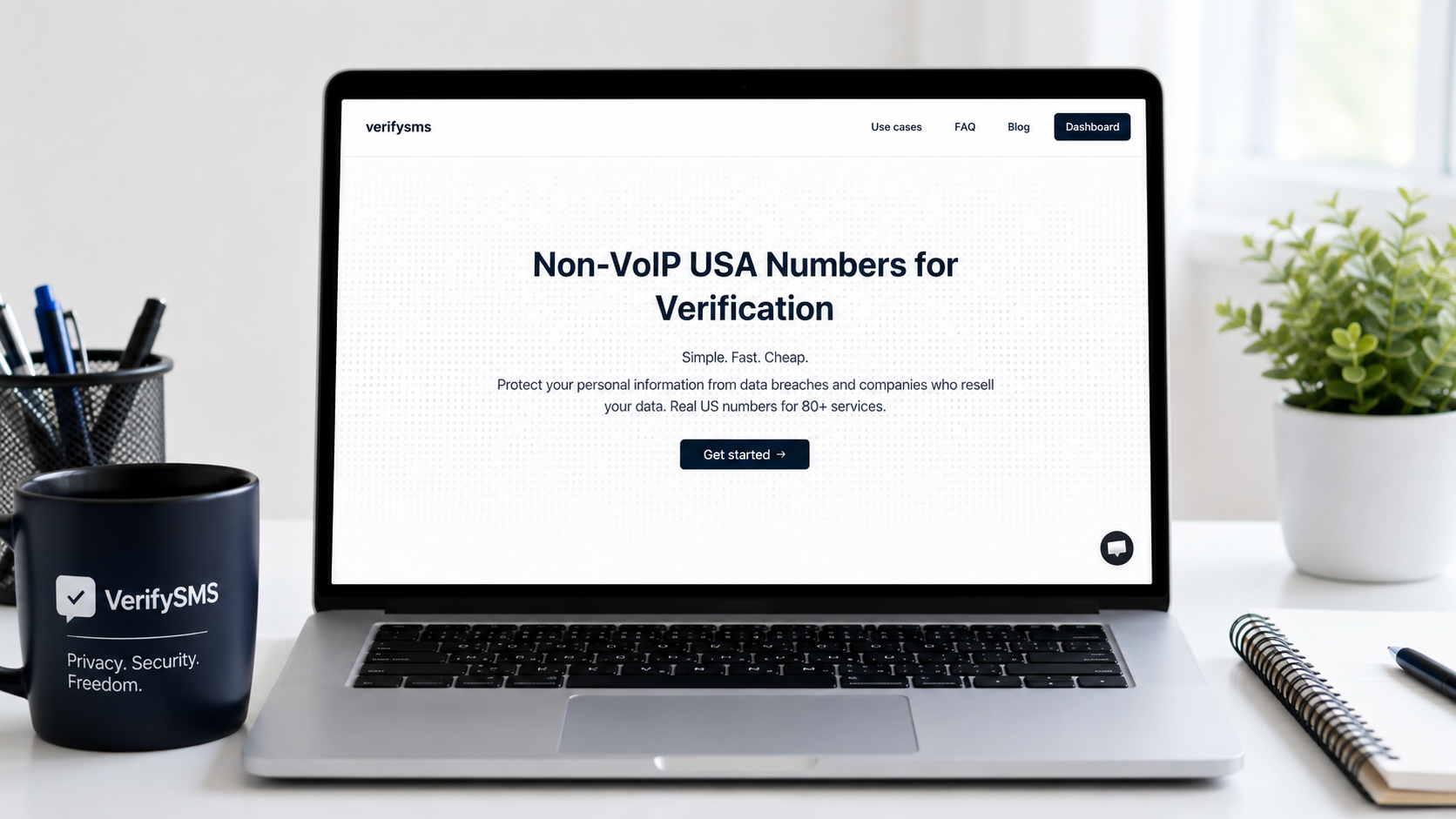
In today’s privacy-conscious digital landscape, having access to reliable virtual phone numbers is essential for anyone who values security and flexibility. Whether you’re creating multiple accounts on platforms like Instagram, Twitter (X), Facebook, TikTok, Bumble, Tinder, or dozens of others, VerifySMS makes the process simple, affordable, and secure.
This step-by-step guide walks you through how to create an account on VerifySMS, deposit funds, and start using temporary USA-based phone numbers for multiple accounts.
Why Choose VerifySMS?
VerifySMS provides fresh, specifically USA-based virtual phone numbers that work reliably across major platforms. Prices are low for example, a Twitter account costs just $0.53 and verification codes are available for 7 minutes, giving you ample time to complete sign-ups.
With a minimum deposit of just $10, you can buy numbers for dozens of accounts, making it perfect for managing multiple profiles on Instagram, Facebook, TikTok, Bumble, Tinder, and more. The service is fast, user-friendly, and designed for both individuals and businesses.
Step 1: Visit the Website and Create Your Account
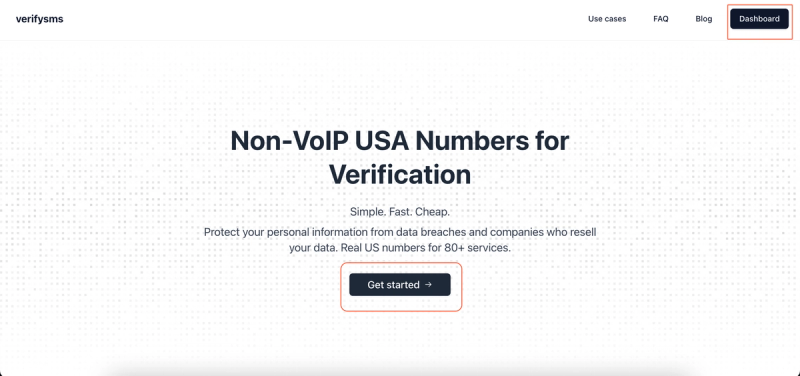
Open your browser and go to https://verifysms.io/. On the homepage, click the prominent “Get Started” or sign-up button. The registration form is minimal and user-friendly. Enter a valid email address and create a strong password. There are no lengthy questionnaires or unnecessary personal details required.
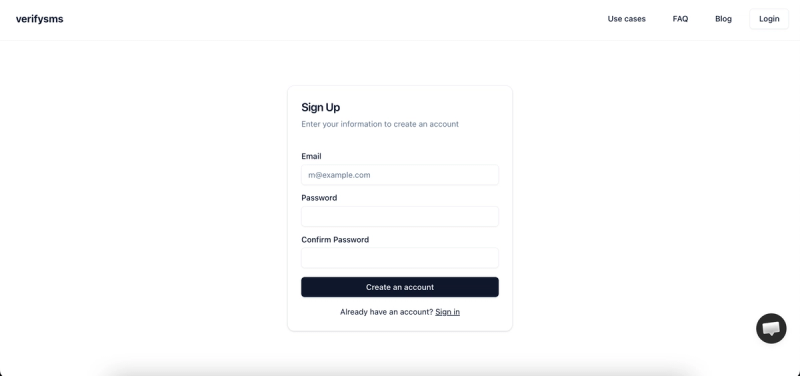
After submitting the form, check your email inbox for a confirmation link and click it to verify your email address. This step usually takes less than a minute. Once confirmed, you will be automatically logged into your new VerifySMS dashboard. The interface is clean and intuitive, with clear sections for dashboard, deposit, services, transactions, and more.
Step 2: Explore the Dashboard
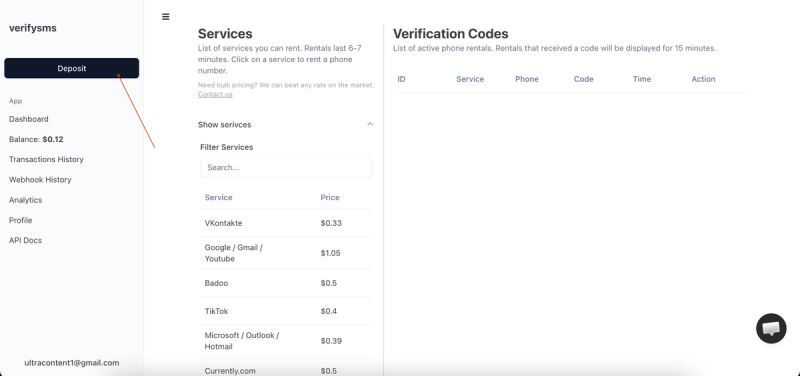
Upon logging in, you’ll see your current balance (initially $0.00) and quick navigation options on the left sidebar. Key sections include Dashboard, Transactions History, Webhook History, Analytics, Profile, and API Docs. Take a moment to familiarize yourself with the layout. The dashboard is designed for speed and efficiency, allowing you to manage multiple numbers and accounts without confusion.
Step 3: Deposit Funds (Minimum $10 Recommended)
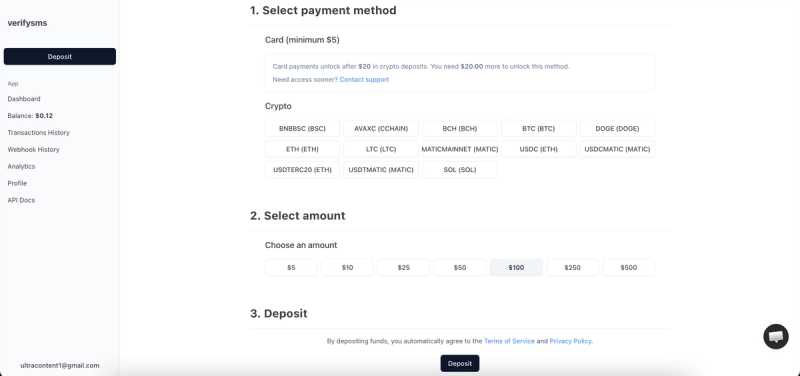
Click the “Deposit” button in the sidebar or the main area. The deposit page offers two main payment methods: Card (minimum $5) and Crypto.
For card payments, you’ll see a note that card deposits unlock after $20 in crypto deposits. If you need access sooner, you can contact support. Crypto options include popular coins like BTC, DOGE, ETH, LTC, USDC, and SOL on various networks.
In the “Select amount” section, choose from preset options such as $5, $10, $25, $50, $100, $250, or $500. Selecting $10 or higher is ideal for beginners, as it provides enough balance for multiple accounts across platforms like Instagram, Twitter, Facebook, TikTok, Bumble, and Tinder.
Review the terms and click the “Deposit” button at the bottom. Follow the on-screen instructions to complete the payment. Funds are credited almost instantly for most methods. You’ll see your updated balance reflected in the dashboard sidebar immediately.
Step 4: Buy Temporary USA Phone Numbers
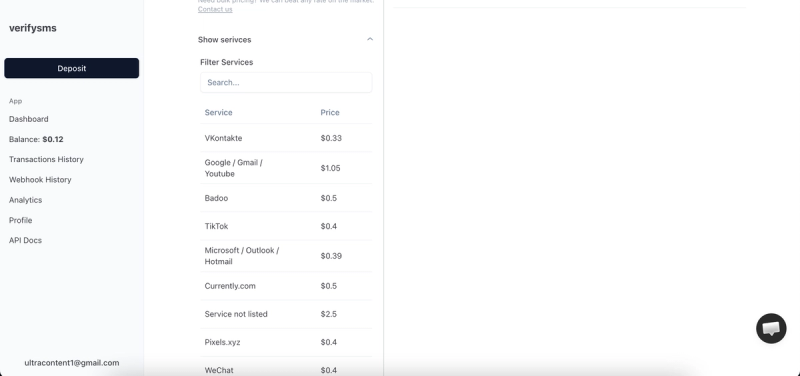
With funds in your account, click “Buy Number” or go to the Services section. Search for the platform you need, like Instagram, Twitter, Facebook, TikTok, Bumble, Tinder, or others. The exact price is displayed clearly. Select the service and a fresh USA-based number will be generated within seconds.
Copy the number immediately. It is ready for use in any sign-up process. All purchased numbers are stored in your dashboard history, making it easy to manage multiple accounts. Since VerifySMS only provides specifically USA-based numbers, they have high compatibility and success rates across major platforms.
Step 5: Use Your Numbers for Account Creation
For any platform (e.g., Instagram, Twitter, Facebook, TikTok, Bumble, Tinder), start the sign-up process and enter the VerifySMS number when prompted. The six- or seven-digit verification code arrives in your VerifySMS dashboard almost instantly. You typically have 7 minutes to copy and paste it. Once verified, complete the profile setup and you’re ready to use the account.
This process can be repeated as many times as needed. A $10 deposit easily covers multiple accounts, saving you time and money compared to buying physical SIM cards or using unreliable free services.
Benefits of Using VerifySMS
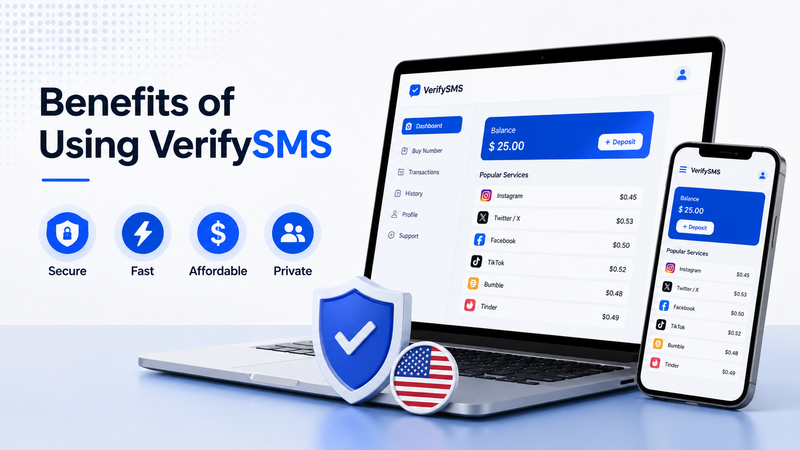
VerifySMS offers several key advantages:
- Privacy Protection: Keep your real phone number completely hidden.
- Multiple Accounts: Easily manage profiles for different purposes.
- Cost-Effective: Low per-number prices and a small minimum deposit.
- Speed: Instant numbers and quick code delivery.
- Reliability: USA-based numbers that work consistently on popular platforms.
- User-Friendly Dashboard: Simple management of all your numbers and transactions.
Tips for Best Results
- Keep the VerifySMS tab open during sign-up to catch codes quickly.
- Use a separate email for each account for maximum privacy.
- Start with small deposits and scale as needed.
- Monitor your transaction history for easy record-keeping.
- Contact support if you need help with any payment or number issues.
Conclusion - A Few Final Words!
Creating an account on VerifySMS is fast, secure, and the first step toward managing multiple private profiles across your favorite platforms. With a simple registration, easy deposit starting at $10, and access to reliable USA-based virtual numbers, you can sign up for Instagram, Twitter, Facebook, TikTok, Bumble, Tinder, and many more services without ever using your real phone number.
Whether you need one account or dozens, VerifySMS makes the process simple and affordable. Head over to https://verifysms.io/ today, create your account, deposit funds, and start enjoying the freedom and privacy that temporary USA numbers provide.